
How saving works
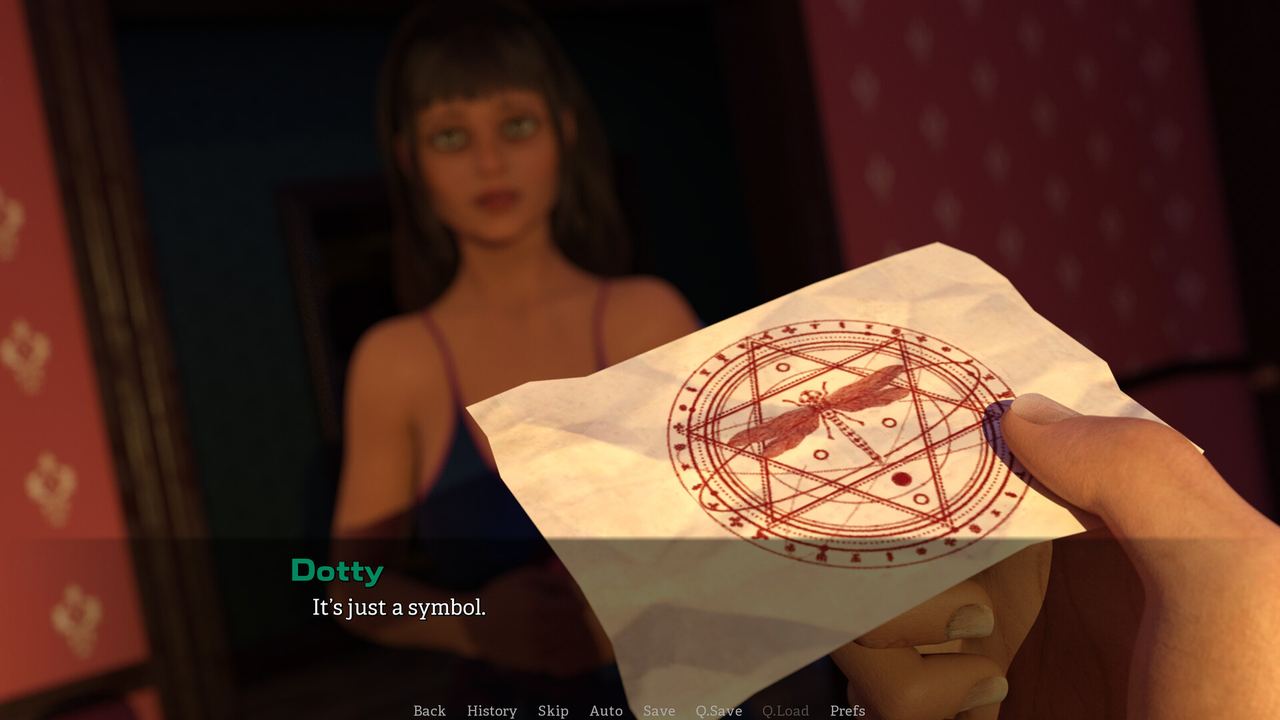
The demo exposes Q.Save and Q.Load on its quick menu alongside History, Skip and Auto, which is the standard quick-save pair in a visual novel: one fast slot for the line you are on, separate from named saves in the menu.
Saving in a visual novel is not a background feature. It is how you explore branches without committing to them, and I Have Known You puts the two most useful save controls directly on the quick menu.
What the demo exposes
The quick menu carries Q.Save and Q.Load, next to History, Skip, Auto and Prefs. That pair is the genre's standard fast-save system: one slot, tied to the line you are currently reading, written and restored without opening a menu.
| Control | Scope | Behaviour |
|---|---|---|
| Q.Save | One quick slot | Overwrites the previous quick save |
| Q.Load | The same slot | Returns you to that exact line |
| Named saves | Save menu | Separate slots you manage yourself |
| Auto-save | If enabled | Writes automatically at set points |
The demo's screenshots show the Q.Save and Q.Load controls; the named save menu and any auto-save behaviour sit behind the menu button and are part of the same save system.
Why quick save matters more than it sounds
A branching visual novel has a specific problem: the interesting choices are the ones you cannot undo, and the interesting consequences are the ones you want to see both sides of.
Quick save solves it in the least intrusive way possible. You reach a line that feels like a fork, press Q.Save, take the option you actually believe in, and — if the scene goes somewhere you did not want — press Q.Load and take the other one. No menu, no naming, no interruption to reading.
In a demo this short, that is the difference between playing once and understanding the design. Use Q.Save before:
- A line that offers two clearly different responses.
- The first conversation with a character you have not met.
- Any scene where the relationship counter is likely to fire.
- The last scene in the demo, if you want to see both endings of the opening arc.
Named saves versus quick saves
| If you want to | Use |
|---|---|
| Try the other branch and come back | Q.Save / Q.Load |
| Keep a run you intend to continue | A named save in the menu |
| Compare two routes across a session | Two named saves, one per route |
| Rewind a single line | Back |
The rule of thumb: quick saves are disposable, named saves are decisions. The quick slot gets overwritten constantly, so anything you would be upset to lose belongs in a named save.
What happens to demo saves in 2027
The demo and the full game are separate Steam apps, and nothing on the store page states that demo progress will carry into the release. Treat the demo's saves as belonging to the demo.
That is not a reason to skip saving. The reason to save in the demo is to explore the demo's branches, and that works regardless of what happens in February 2027.
Steam Cloud
The store page does not list Steam Cloud for the app. If cloud saves matter to you — playing across two machines, for example — check the store page's feature list at launch rather than assuming, and keep a local copy of anything you care about.
A practical save routine for the demo
- At the first fork, press Q.Save. This becomes your reference point.
- Play the branch you prefer. Let the scene finish.
- Q.Load and play the other branch. Compare the counters and the dialogue.
- Before the final scene, take a named save if the demo allows it, so you can return to the ending without replaying.
- After the demo ends, note where the story stopped. That is the point the full game will pick up.
None of that is complicated, and all of it is what the save system is for: making the branches cheap to inspect.
Where saves fit in the wider design
The relationship counters, the dossiers and the Journey Gallery all record what you have done. Saves are how you experiment with what you might do instead — and a game that tracks relationships as carefully as this one does is a game where experimentation is the intended way to play.
For the controls around the saves, read controls and settings. For the choices they let you test, read choices and consequences.
What a save is actually storing
A visual novel save is not just a line number. It has to restore the scene, the text position, the character state and every variable the story has accumulated — which in this game means the relationship values, the personality flags and whatever the Journey system records.
That is why quick saves in a branching game are best treated as experiments rather than backups: the slot holds a complete state, and restoring it rolls back everything that happened after it, including progress you might have wanted to keep.
The practical rule that follows: quick save before a fork, named save after a scene you want to keep. The first is a question, the second is an answer.
The save controls were read from the demo's own quick menu, and the store features from the official Steam listing, checked on 3 November 2026.